


AI alt text generator for Magento
Auto-generate alt text for every Magento product image — WCAG compliant, SEO-optimized, built for large catalogs.

THE PROBLEM
Count what every missing alt text costs your Magento store
Accessibility: For shoppers using screen readers, an untagged product image means no description, no context, no ability to understand what's being sold. WCAG 2.1 AA, the ADA, and the EAA require every meaningful image to have a descriptive alt attribute.
Scale: A Magento store with 5,000 SKUs and 4 images per product has 20,000 image fields to populate. Editing alt text manually through the Magento Admin requires opening each product, switching to the Images tab, clicking each image, and saving individually. At that scale, it is hard to be done unless it's automated.
How to add alt text to Magento product images automatically
Install the AltTextLab extension from Adobe Commerce Marketplace
Download AltTextLab from the Adobe Commerce Marketplace and install it via Composer or the Magento Admin. Enter your API key in the module configuration. No code changes, no custom development.


Bulk-process your entire product catalog and Media Gallery
For images already in your store, run bulk generation across your full product catalog. Select the products, categories, or image types you want to process, click generate, and the extension works through them in the background.
Every new product image gets alt text automatically
Turn on automatic generation in the extension settings and every image uploaded or updated in Magento gets alt text written to the native alt attribute immediately. Or if you prefer, you can trigger it manually when you need to.
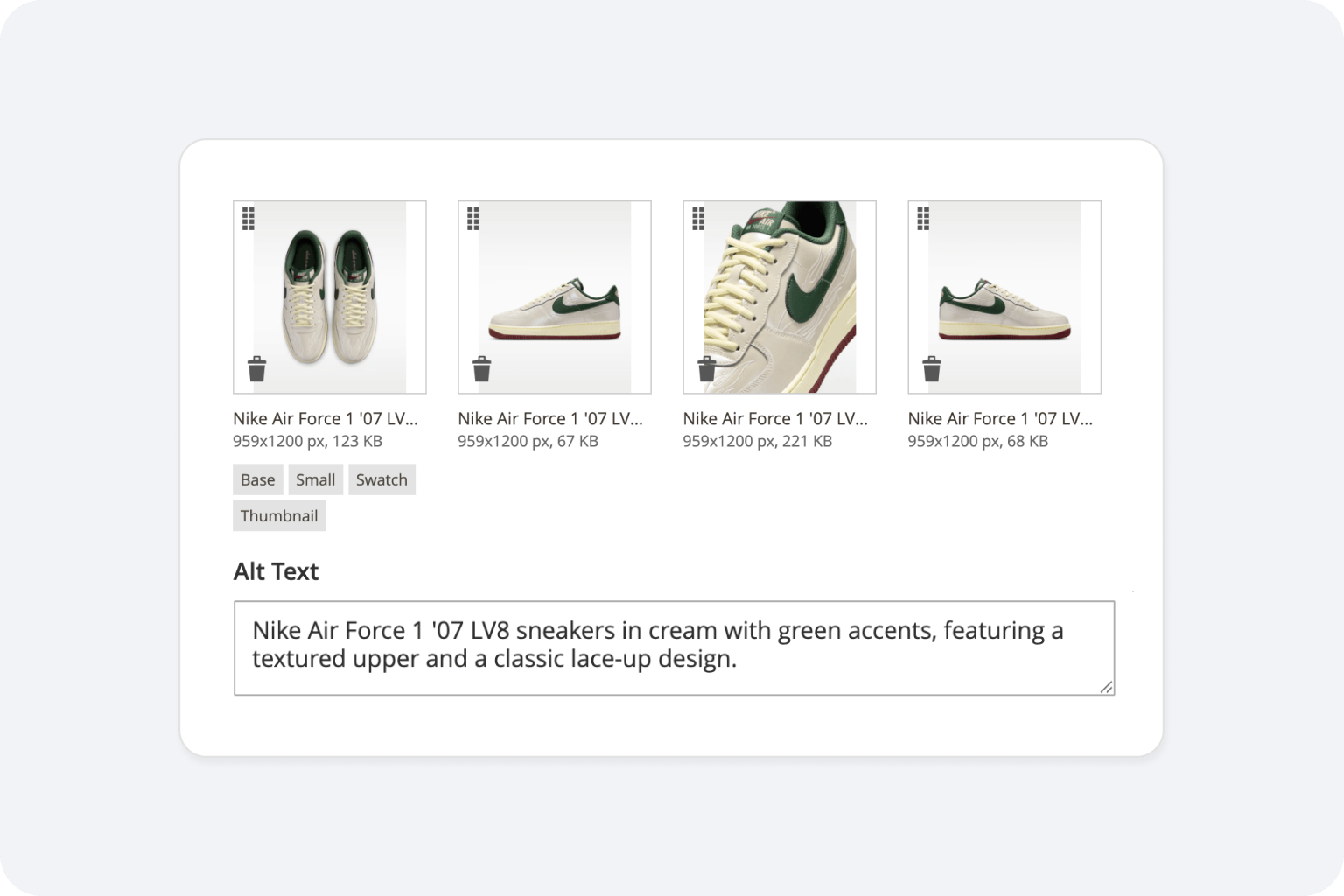
Built for Magento stores where alt text actually needs to get done at scale

Product-aware descriptions

Zero performance impact

Choose a writing style that fits your brand tone

WCAG 2.1 AA compliant output

130+ languages

GDPR-aligned
Teams that stopped writing alt text by hand








Does AltTextLab cover only product images, or also CMS page images and category images?

The Magento integration currently supports product images only. CMS page images and category images are not covered at this time. If support for those image types is important for your setup, feel free to reach out at contact@alttextlab.com — we'd be glad to hear about your use case as we continue developing the integration.
Will AltTextLab overwrite alt text I've already entered for my products?
No, the extension only writes to image label fields that are currently empty. If a product image already has alt text — whether entered manually in the admin, imported via CSV, or set by a previous tool — it is left exactly as it is. Regenerating alt text across images that already have descriptions is an explicit opt-in setting available in the extension configuration.
Does the AI use product data, such as name and attributes, in the generated alt text?
Yes. AltTextLab reads product context when generating alt text for product images, so descriptions reflect what the product actually is rather than just what's generically visible in the photo. Product name and available attribute data are factored into each description naturally. This produces meaningfully richer alt text than template-based extensions that simply concatenate "Product Name + SKU + Color" into a string — the AI generates a readable, accurate description that works for both screen readers and image search.
Does it work with Magento 2 and Adobe Commerce?
Yes. AltTextLab's extension is compatible with both Magento 2 Open Source and Adobe Commerce, including Adobe Commerce on Cloud infrastructure. The extension has been reviewed and tested against current Adobe Commerce release lines. If you're on a specific version and want to confirm compatibility before installing, contact us at contact@alttextlab.com.
Is AltTextLab compatible with the Hyvä theme?
Yes. Because AltTextLab writes alt text directly to Magento's native image label field in the database rather than injecting it at the front-end rendering layer, it works correctly with any theme that reads from that field, including Hyvä. The alt text is stored in Magento's data layer and rendered by whichever template or theme your storefront uses, so there are no theme-specific compatibility issues.
What about product images imported via CSV — do they get alt text automatically?
Yes. After a CSV import completes, newly imported product images with empty alt fields are picked up by the next cron cycle and processed automatically. You don't need to manually trigger generation after each import.
Does AltTextLab support Magento Multi-Store and Multi-Website setups?
Partially. The extension works on Magento Multi-Store installations, but currently supports one language only across all store views. Per-store-view language configuration is not available at this time. If multilingual alt text generation is a requirement for your setup, feel free to reach out at contact@alttextlab.com — we'd love to hear about your use case as we continue developing the integration.
What happens to my alt text if I uninstall the extension?
Nothing. Alt text that has already been generated and written to your product and CMS image records in Magento's database stays in place permanently as native catalog data. Uninstalling the extension has no effect on existing content — your storefront continues to render stored alt text exactly as before. Only automatic generation on save and scheduled cron processing stop when the extension is removed.
Automate alt text across your entire Magento catalog in one run


